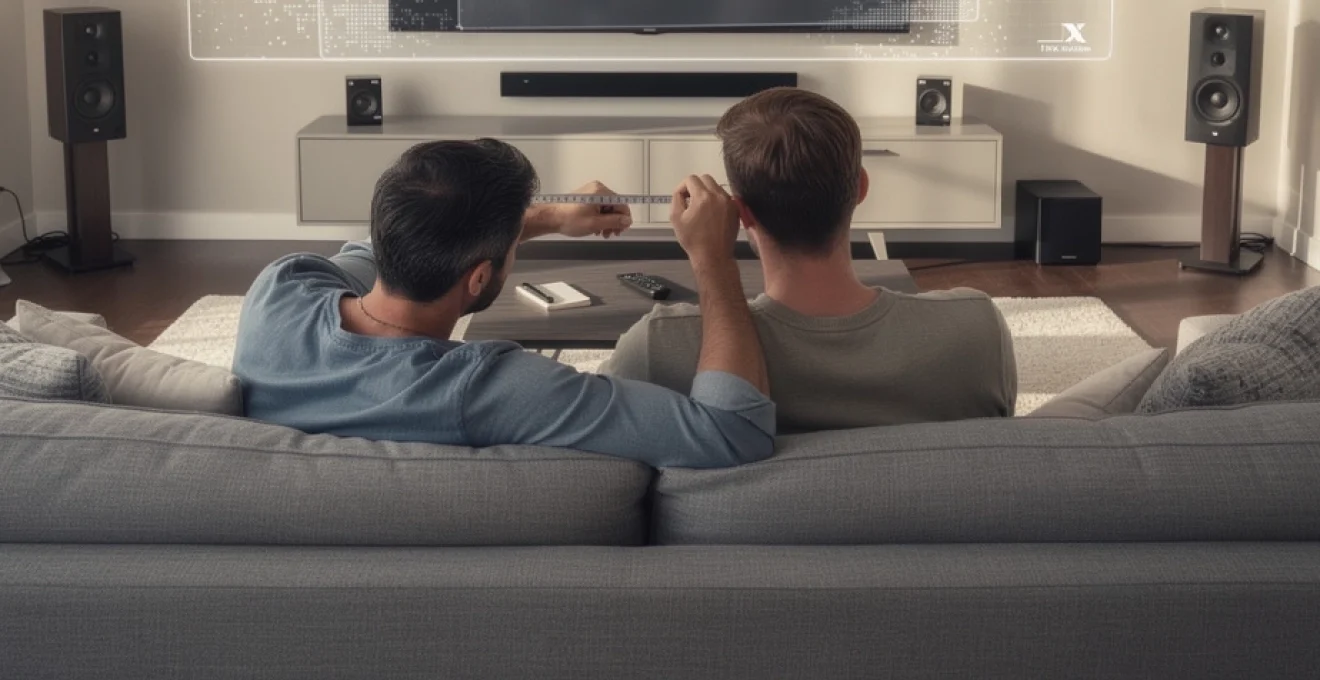
The television landscape has dramatically transformed over the past decade, with 65-inch displays transitioning from luxury items to mainstream entertainment centrepieces. Modern households increasingly favour these expansive screens, drawn by their cinematic presence and enhanced viewing experiences. However, the question of whether a 65-inch television overwhelms your living space remains paramount for discerning consumers. Size considerations extend far beyond simple measurements, encompassing viewing comfort, room acoustics, and aesthetic integration. Understanding the intricate relationship between screen dimensions, seating arrangements, and spatial dynamics ensures you make an informed decision that enhances rather than dominates your entertainment environment. The investment in a large-format display represents a significant commitment, making proper planning essential for long-term satisfaction.
Optimal viewing distance calculations for 65-inch television displays
Determining the appropriate viewing distance for a 65-inch television involves understanding how your eyes perceive detail and process visual information. The human visual system operates optimally when screens occupy specific portions of your field of view, creating immersive experiences without causing discomfort or strain. Professional organisations have developed scientific methodologies to calculate these distances, considering factors such as resolution, content type, and individual viewing preferences. These calculations serve as foundational guidelines for anyone contemplating a large-format television purchase.
THX recommended viewing distance formula for 4K resolution
THX, the renowned audio and visual certification company, advocates for a viewing distance formula that multiplies your seating distance by 0.835 to determine optimal screen diagonal measurements. For a 65-inch television, this translates to an ideal viewing distance of approximately 77 inches, or roughly 6.5 feet from the screen. This calculation assumes you desire maximum immersion whilst maintaining comfortable viewing angles. The THX standard particularly emphasises the importance of field of view optimisation, ensuring the screen fills approximately 36-40 degrees of your peripheral vision for cinema-quality experiences at home.
SMPTE standards for immersive television viewing experience
The Society of Motion Picture and Television Engineers recommends a more conservative approach, suggesting viewers position themselves at a distance equivalent to 3 to 3.2 picture heights from the screen centre. For a 65-inch display with a height of approximately 32 inches, this formula indicates an optimal viewing distance of 96-102 inches, or roughly 8-8.5 feet. SMPTE standards prioritise visual comfort over maximum immersion, making them particularly suitable for extended viewing sessions and family environments where multiple viewers occupy different seating positions.
Angular resolution measurements and visual acuity thresholds
Angular resolution represents the smallest detail your eyes can distinguish at specific distances, measured in arcminutes. For 4K resolution content on a 65-inch display, individual pixels become indiscernible when viewed from distances exceeding 4.9 feet. This threshold ensures you experience the full detail capability of Ultra HD content without perceiving pixelation. However, sitting closer than this distance may reveal individual pixels, particularly when viewing lower-resolution content. Understanding these thresholds helps you balance detail appreciation with viewing comfort, ensuring your investment in 4K technology delivers maximum visual impact.
Pixel density considerations for ultra HD content consumption
Pixel density, measured in pixels per inch (PPI), directly influences how close you can sit to a television before individual pixels become noticeable. A 65-inch 4K display features approximately 68 PPI, significantly higher than older HD displays but lower than smartphone screens. This density allows comfortable viewing from relatively close distances whilst maintaining sharp, detailed imagery. When consuming native 4K content, you can appreciate enhanced detail and texture that would be lost on smaller screens or when viewing from excessive distances. The relationship between pixel density and viewing distance becomes crucial for content quality assessment and determining whether your room can accommodate the television’s full potential.
Room dimension analysis for large format television installation
Successful integration of a 65-inch television requires comprehensive analysis of your room’s physical characteristics and spatial constraints. Beyond simple wall-to-seating measurements, considerations include ceiling heights, furniture arrangements, and architectural features that influence both functionality and aesthetics. Room dimensions directly impact viewing angles, audio
acoustics, determining whether a 65-inch TV enhances your room or overwhelms it.
Minimum wall-to-seating distance requirements
When evaluating if a 65-inch TV is too big for your room, your first calculation should be the wall-to-seating distance. As a practical rule of thumb for 4K televisions, aim to sit between 1.0 and 1.5 times the screen diagonal. For a 65-inch TV, this equates to roughly 5.5–8.5 feet (1.7–2.6 metres), which aligns closely with THX and SMPTE viewing distance recommendations. If your primary seating position is significantly closer than 5.5 feet, the display may feel overwhelming; if it is much further than 9–10 feet, the screen might start to feel undersized, particularly for cinematic content.
To assess your own space, measure from the wall where the TV will be mounted to the front edge of your main seating. If this distance sits comfortably within the 6–9 foot range, a 65-inch television is generally appropriate for living rooms and dens. In narrower rooms, you may still accommodate a 65-inch TV by slightly shifting furniture or choosing a low-profile wall mount to maximise usable distance. These measurements give you an objective framework for deciding whether a 65-inch TV is too big for your room or perfectly matched to your layout.
Ceiling height impact on vertical viewing angle comfort
Ceiling height subtly influences how comfortable a 65-inch display will feel, especially when wall-mounting. Industry guidelines recommend that the centre of the screen sits roughly at your seated eye level, usually between 40 and 44 inches from the floor for most adults. In rooms with standard 8-foot ceilings, mounting a 65-inch TV just above a low media console often achieves this naturally. In taller rooms, however, there is a tendency to mount the TV higher to “fill” the wall, which can lead to neck strain over longer viewing sessions.
Vertical viewing angle is an often-overlooked factor when deciding if a 65-inch TV is too big for your room. SMPTE suggests that the vertical viewing angle from eye level to the top of the screen should not exceed about 15 degrees for long-term comfort. If you find yourself tilting your head back to see the entire image, the TV is mounted too high, regardless of its physical size. In rooms with fireplaces, feature walls, or very high ceilings, consider a tilting wall mount that angles the screen down towards your seating position, maintaining a comfortable vertical angle even when the display is physically higher on the wall.
Furniture arrangement optimisation for 65-inch displays
A 65-inch television becomes the visual anchor of most living rooms, so furniture placement must work in harmony with the screen. Ideally, your main seating should face the TV as directly as possible, with only minor horizontal offsets to maintain comfortable sightlines for all viewers. Wide seating arrangements can tolerate up to a 30-degree horizontal viewing angle from centre without significant degradation in image quality, but beyond that point colours and contrast may appear washed out, particularly on non-OLED panels. This is why corner-mounted 65-inch TVs can feel awkward unless the seating is arranged specifically to accommodate that orientation.
To optimise your furniture for a 65-inch TV, start by positioning your primary sofa at the recommended viewing distance, then align side chairs or sectional extensions within a gentle arc facing the screen. Low-profile coffee tables and slim media consoles prevent visual clutter from competing with the display. If you are working with a smaller room, consider floating your sofa slightly away from the rear wall; this can gain an extra foot or two of viewing distance, making a 65-inch model feel more proportionate. By treating your room layout like a small cinema, you can often make a 65-inch TV feel “just right” even in moderately sized spaces.
Acoustic reflection patterns in compact living spaces
Large-format televisions such as 65-inch models often prompt upgrades to soundbars or surround systems, making room acoustics an important part of your planning. In compact rooms, hard surfaces like bare walls, tiled floors, and large windows can create strong reflections, leading to echo, muddied dialogue, and harsh high frequencies. The larger and more immersive the screen, the more noticeable these audio shortcomings become. You may find that a 65-inch TV feels “too big” not because of the picture, but because the sound is overwhelming or fatiguing.
Fortunately, a few simple changes can tame these reflections without turning your living room into a recording studio. Soft furnishings such as rugs, curtains, upholstered seating, and even bookcases help break up and absorb sound waves, creating a more balanced listening environment. Position front speakers or a soundbar so that they fire directly towards the main seating position, avoiding placement inside deep cabinets that cause boomy resonance. If your room is narrow, experiment with slight toe-in of left and right speakers to reduce side-wall reflections. Well-managed acoustics ensure that a 65-inch TV enhances immersion without introducing audio fatigue, even in rooms where space is at a premium.
Comparative screen size analysis: 55-inch vs 65-inch vs 75-inch models
When debating whether a 65-inch TV is too big for your room, it is useful to compare it directly with neighbouring sizes such as 55-inch and 75-inch models. A 55-inch television typically measures around 48 inches wide, while a 65-inch model spans about 57 inches across, and a 75-inch stretches close to 66 inches. In practical terms, each jump of 10 inches in diagonal adds roughly 8–9 inches of horizontal width, which can be significant on a shorter wall or in a compact apartment living room. From a seating distance of 7–9 feet, many viewers find 65-inch displays to be the sweet spot between immersion and practicality.
From a viewing distance perspective, a 55-inch TV suits rooms where the main seating is 6–8 feet away, while a 65-inch display is better suited to 7–9 feet, and a 75-inch television favours 8.5–11 feet or more. If your sofa is fixed at around 8 feet from the wall, a 65-inch TV generally offers the most cinematic experience without the potential overload that a 75-inch model might introduce. Conversely, if your seating is closer to 6 feet and cannot be moved, a 55-inch set may actually deliver a more balanced field of view. By matching your measured viewing distance to these size ranges, you can objectively determine whether a 65-inch TV is too big for your room or represents the optimal compromise.
Popular 65-inch television models and their physical specifications
Beyond theoretical calculations, real-world 65-inch televisions differ in width, height, thickness, and stand design, all of which influence how they fit into your room. Ultra-thin bezels mean that most contemporary 65-inch models share very similar screen dimensions, but their stands, rear housings, and connection layouts can vary considerably. When you assess if a 65-inch TV is too big for your room, it is important to review the manufacturer’s exact specifications, including stand footprint and VESA mounting patterns, rather than relying solely on diagonal size. The following examples from leading brands illustrate how these differences play out in practice.
Samsung QN90B neo QLED dimensions and mounting requirements
The Samsung QN90B Neo QLED 65-inch model exemplifies modern slimline design, with a screen width of roughly 56.9 inches (144.5 cm) and a height of around 32.6 inches (82.8 cm) without the stand. Including its central pedestal stand, total height rises to approximately 35.7 inches, while depth increases to about 11.2 inches. This relatively compact footprint allows the QN90B to sit comfortably on standard media consoles at least 50 inches wide, though Samsung recommends surfaces equal to or greater than the TV’s width for maximum stability. The central stand design is advantageous in smaller rooms, as it does not require an especially wide cabinet compared with models that use wide-spread feet.
For wall mounting, the QN90B uses a 400 x 300 mm VESA pattern, compatible with most robust fixed, tilt, and full-motion wall brackets rated for 65-inch televisions. When flush-mounted, the set’s slim rear profile keeps the overall depth close to the wall, helping a 65-inch TV feel less intrusive in shallower rooms. However, you should leave sufficient space behind the panel for HDMI, power, and antenna cables, particularly if you plan to use angled or locking connectors. Careful measurement of bracket placement, cable exit points, and any recesses or alcoves ensures that the QN90B integrates neatly, rather than feeling oversized for the wall.
LG C2 OLED stand footprint and wall mount compatibility
The LG C2 OLED 65-inch television is renowned for its exceptionally thin OLED panel, which can make the screen appear almost weightless when wall-mounted. Its panel width is approximately 57 inches (144.1 cm) with a height near 32.7 inches (83 cm), and a profile that tapers to just a few millimetres at the edges. With the supplied stand, the total depth sits around 9.1 inches, and the stand itself spans roughly 36 inches across, providing a stable base while still fitting on medium-width consoles. This compact footprint can be helpful in tighter spaces where a 65-inch TV might otherwise feel too big for the furniture available.
In terms of wall-mounting, the LG C2 uses a 300 x 200 mm VESA pattern, and its light weight for a 65-inch model makes it compatible with a wide range of slim brackets. Because OLED panels can be more fragile than LED counterparts, it is important to follow LG’s guidelines for handling and installation, especially when manoeuvring the TV in narrow hallways or small rooms. When mounted correctly at eye level, the near-borderless design of the C2 helps it blend into your decor, reducing the visual bulk that sometimes accompanies large televisions. This means that even in modest living rooms, a 65-inch OLED can feel elegant rather than imposing.
Sony X90K LED panel thickness and cable management solutions
The Sony X90K 65-inch LED model adopts a more traditional panel depth than ultra-slim OLEDs, with a rear housing that accommodates full-array local dimming hardware. The screen measures approximately 57.5 inches wide and 33 inches high, with a depth of roughly 2.9 inches at its thickest point without the stand. With its two-position feet attached, overall depth increases to about 13.4 inches, and the feet can be placed in either a wide or narrow configuration. This flexibility allows the X90K to sit on both wider TV units and more compact stands, a useful feature if you are working within existing furniture constraints.
Sony integrates cable management channels into the rear of the stand, enabling you to route HDMI, power, and network cables neatly behind the legs. In smaller rooms where clutter can make a large TV feel even more dominant, this built-in cable organisation helps maintain a clean, minimalist aesthetic. The X90K uses a 300 x 300 mm VESA pattern, ensuring broad compatibility with universal mounts. When assessing whether a 65-inch TV is too big for your room, factoring in stand depth and cable routing can be as important as the raw width and height, especially if your seating passes close by the console or if you have limited clearance between furniture and walls.
Visual fatigue and eye strain factors in large screen television viewing
Concerns about eye strain often surface when upgrading to a 65-inch TV, particularly in smaller rooms where viewers sit closer to the screen. Visual fatigue generally stems from a combination of factors: excessive brightness, high contrast between the TV and surrounding environment, rapid motion, and prolonged focus at a fixed distance. Screen size alone is not usually the culprit; rather, it amplifies these underlying issues when not properly managed. If you have ever felt tired eyes or mild headaches after a long movie session, it is worth reviewing your brightness settings and room lighting before concluding that a 65-inch TV is too big for your room.
To minimise eye strain, start by reducing the default vivid or dynamic picture modes many TVs ship with, as these are optimised for showroom floors rather than home cinemas. Instead, use a cinema, movie, or filmmaker mode, which typically lowers brightness, softens contrast, and delivers more natural colours. Introducing soft bias lighting behind the TV — such as an LED strip illuminating the wall — can reduce the contrast between the bright screen and a dark room, easing the workload on your eyes. This approach is particularly effective with 65-inch TVs in smaller spaces, where the screen occupies a large portion of your field of view.
Another factor is motion handling and frame interpolation. Some viewers experience discomfort or “soap opera effect” when aggressive motion-smoothing is enabled, especially on large screens where the effect is more obvious. Experiment with reducing or disabling motion enhancements to find a comfortable balance between clarity and natural movement. Finally, follow the familiar 20-20-20 rule: every 20 minutes, look at something 20 feet away for at least 20 seconds. This simple habit can significantly reduce fatigue when enjoying long box-set marathons on a 65-inch display.
Room acoustics and audio performance considerations for 65-inch TVs
Upgrading to a 65-inch television often exposes the limitations of built-in speakers, prompting many viewers to invest in soundbars or surround systems. However, even the best audio hardware can underperform if room acoustics are not taken into account. In small or irregularly shaped rooms, bass frequencies may build up in corners, while mid and high frequencies reflect off bare walls, creating a mix of boomy and harsh sound. When picture size grows, these audio issues feel more noticeable because the expectation of a “cinema-like” experience increases. A balanced approach to acoustics ensures that a 65-inch TV sounds as impressive as it looks.
For most living rooms, a quality soundbar with a wireless subwoofer offers a significant improvement over integrated TV speakers without requiring complex wiring. Position the soundbar directly beneath the screen, centred with the display, and avoid placing it inside enclosed cabinets that can colour the sound. If you opt for a 5.1 or 7.1 surround system, aim to position the front left and right speakers at roughly ear height and angled slightly towards the main seating position, with surround speakers placed to the sides or slightly behind the viewers. Even small adjustments in angle and height can dramatically improve clarity and immersion, especially when paired with a large 65-inch screen.
Simple acoustic treatments can further elevate the experience. Adding a thick rug between the seating area and the TV reduces floor reflections, while curtains or blinds soften reflections from windows. Bookshelves filled with irregular objects act as natural diffusers, scattering sound rather than reflecting it directly. If your room is particularly small and you worry that a 65-inch TV might feel overpowering, thoughtful audio tuning can prevent the soundstage from becoming overwhelming. By balancing screen size, speaker placement, and room treatment, you can achieve a cohesive audio-visual environment where a 65-inch television feels like a considered upgrade rather than an oversized intrusion.