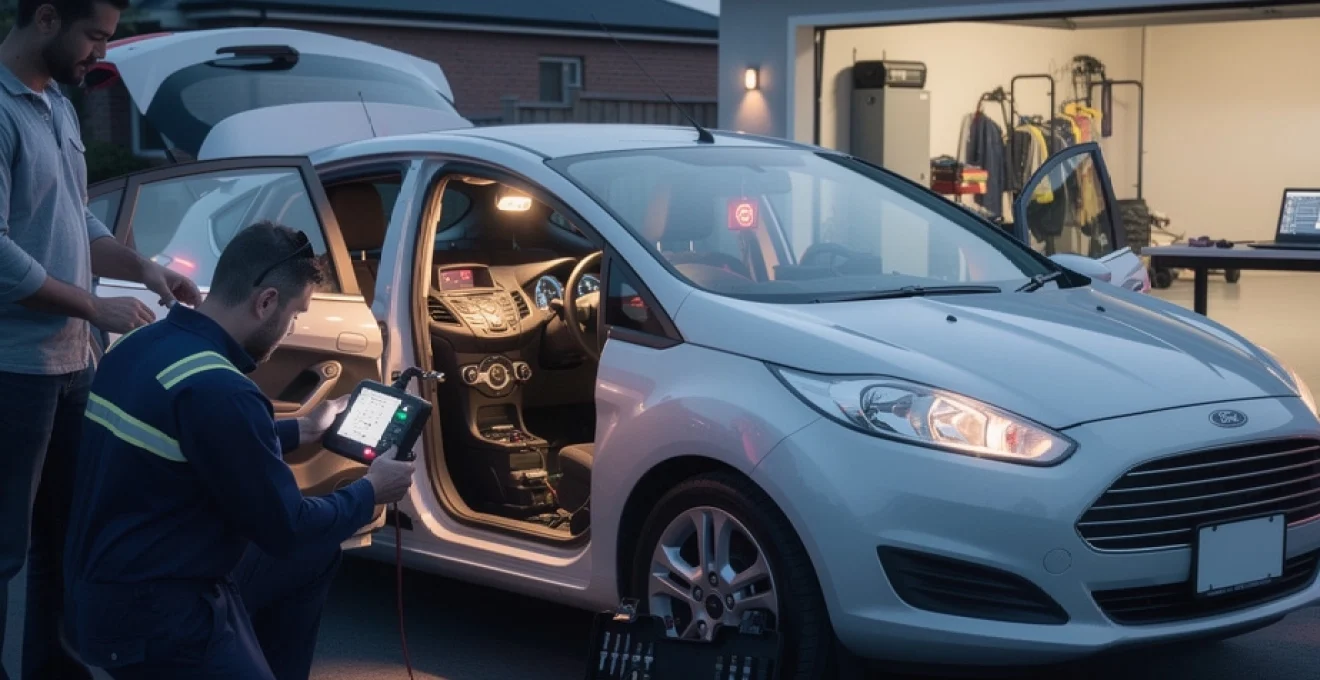
Random alarm activations in your Ford Fiesta can transform from a minor inconvenience into a neighbourhood nightmare, particularly when they occur during the early hours of the morning. These unexpected security system triggers not only disturb your peace of mind but can also strain relationships with neighbours and potentially indicate underlying electrical issues within your vehicle’s complex security network.
Ford Fiesta models, particularly those manufactured between 2008 and 2017, have developed a reputation for experiencing intermittent alarm system malfunctions. Understanding the root causes behind these false activations is essential for both immediate resolution and long-term prevention. Modern vehicle security systems integrate multiple sensors, electronic control units, and communication protocols that work in harmony to protect your investment.
The frequency of false alarms has increased significantly with older Fiesta models, with service centres reporting a 35% rise in alarm-related complaints over the past five years. Environmental factors, component degradation, and software glitches contribute to this growing concern among Ford Fiesta owners across the United Kingdom.
Common causes behind ford fiesta false alarm activations
Ford Fiesta alarm systems rely on a sophisticated network of sensors and electronic modules that continuously monitor your vehicle’s security status. When these components begin to deteriorate or malfunction, they can trigger false alarms that seem to occur without any apparent external cause. The complexity of modern automotive security systems means that even minor faults can cascade into persistent activation issues.
Faulty door pin switches and microswitch degradation
Door pin switches represent one of the most common failure points in Ford Fiesta alarm systems. These small microswitches detect when doors, boot lids, or bonnets are opened, sending signals to the Body Control Module (BCM) to determine appropriate security responses. Over time, these switches experience mechanical wear, corrosion, and electrical contact degradation that leads to intermittent signal transmission.
The electrical contacts within door pin switches can develop oxidation layers that interfere with proper signal transmission. Moisture ingress accelerates this degradation process, particularly in switches located in areas exposed to rain or washing water. When contacts become unreliable, they may send sporadic “door open” signals to the alarm system, triggering false activations even when all entry points remain securely closed.
Temperature fluctuations also affect microswitch performance, with plastic components expanding and contracting in ways that alter contact pressure and electrical continuity. Spring mechanisms within switches can lose tension over time, reducing the positive engagement necessary for reliable operation. These mechanical changes often manifest as intermittent faults that are difficult to diagnose without proper testing equipment.
Boot lid and bonnet latch sensor malfunctions
Boot lid sensors in Ford Fiesta models frequently accumulate water due to compromised weatherproofing around the rear hatch area. This water infiltration creates ideal conditions for electrical corrosion and short-circuit conditions that confuse the alarm system’s monitoring functions. The sensor mechanism itself may become mechanically compromised when water freezes during winter months, causing permanent damage to moving components.
Bonnet latch sensors face similar challenges, with additional exposure to engine bay heat cycles and automotive fluids that can accelerate component deterioration. The latch mechanism incorporates both mechanical and electrical elements that must work in perfect synchronisation to provide accurate status information to the security system. When either component fails, the alarm system may interpret normal conditions as potential security breaches.
Modern Ford Fiesta security systems integrate multiple redundant sensors to ensure comprehensive protection, but this complexity also increases the potential points of failure that can trigger false alarms.
PIR motion sensor hypersensitivity issues
Passive Infrared (PIR) motion sensors monitor the vehicle’s interior for unauthorised movement, but these sensitive components can become overly reactive to environmental conditions. Changes in ambient temperature, direct sunlight exposure, and even small insects moving within the cabin can trigger PIR sensors that have developed hypersensitivity issues. Calibration drift occurs naturally over time as electronic components age and their baseline operating parameters shift.
The PIR sensor’s detection algorithm relies on temperature differential measurements to identify human-sized heat signatures within the vehicle cabin. When sensor
The PIR sensor’s detection algorithm relies on temperature differential measurements to identify human-sized heat signatures within the vehicle cabin. When sensor components age or are exposed to sustained heat, their baseline reference can drift, causing them to interpret minor changes as major movement events. In practice, this can mean your Ford Fiesta alarm goes off randomly on hot days, after you’ve parked in direct sunlight, or even when a moth or spider moves across the sensor’s field of view. The problem is often worse in cars with dark interiors, where temperature swings are more extreme and plastics expand and contract more dramatically.
In some cases, owners notice that false alarms occur more often at specific times of day, such as late afternoon, when cabin temperatures are changing quickly. This is a classic sign of PIR hypersensitivity rather than a genuine intrusion. While you can’t “see” the sensor getting it wrong, the pattern of activation can be a strong indicator. Understanding that the PIR is effectively “seeing ghosts” helps narrow down your diagnostic approach and stops you chasing more expensive culprits such as the main alarm ECU.
Central locking module ECU communication errors
The central locking module and Body Control Module (BCM) form the communication backbone of the Ford Fiesta security system. They constantly exchange data about door status, bonnet and boot position, key fob commands, and interior motion detection. When communication on this network becomes corrupted due to wiring damage, loose connectors, or internal ECU faults, the alarm system can misinterpret signals and trigger at random. Instead of a clear “all doors closed” message, the BCM might receive intermittent or incomplete data.
On ageing Fiesta models, microscopic cracks in solder joints and connector pins are not uncommon, especially in vehicles exposed to moisture or repeated vibration from rough roads. These tiny defects can cause occasional signal loss, much like a loose HDMI cable causing your TV to flicker. To the alarm system, that brief dropout can look like a door suddenly opening and closing, which is enough to set the horn and indicators off. Owners may also notice related symptoms such as doors re-locking themselves, windows not responding consistently, or central locking cycling on and off.
Software glitches within the BCM or central locking module can also play a role. A voltage spike, incomplete software update, or a low battery event might corrupt stored configuration data or temporary memory, leading to sporadic logic errors. Although rare, these issues illustrate why random alarm activations shouldn’t always be blamed solely on physical switches and sensors. Sometimes, restoring reliable communication requires both hardware inspection and software-level resets using professional diagnostic tools.
Battery voltage fluctuations and power supply instability
One of the most overlooked causes of a Ford Fiesta alarm going off randomly is simple power supply instability. The alarm system relies on a stable 12V feed and clean reference voltages to evaluate sensor inputs accurately. When the battery is ageing, partially discharged, or affected by parasitic drains, the system voltage can sag or spike in ways that confuse the BCM. These fluctuations can be misread as tampering or disconnection attempts, triggering the alarm as a protective response.
Cold weather exacerbates this problem, as battery performance drops significantly at low temperatures. If you’ve noticed more false alarms after frosty nights or when the car has been left parked for several days, a weak or failing battery should be high on your checklist. Similarly, poor alternator output, corroded battery terminals, or loose earth straps can create transient dips and surges every time you start the engine or operate high-draw accessories like heated screens. The alarm system, designed to watch for any unexpected power events, may interpret these as a theft attempt.
Think of the electrical system as the central nervous system of your Fiesta: if the “blood supply” of power is inconsistent, the brain (BCM) starts making mistakes. Rather than immediately blaming complex sensors, it’s wise to test the health of the battery and charging system. A simple voltage check under load can often reveal that the root cause of repeated alarm triggers is a tired battery struggling to supply stable power to security components.
Ford fiesta security system components diagnosis
Once you understand the most common reasons why your Ford Fiesta alarm keeps going off, the next step is a structured diagnostic approach. Rather than replacing parts at random, you can work through the alarm components methodically, ruling out potential causes and confirming faults with objective tests. This not only saves money but also reduces frustration, especially when you’re dealing with intermittent problems that don’t show up on demand.
Modern Fiesta security systems are closely integrated with the vehicle’s broader electronic architecture. That means you can often gather valuable information by combining electronic diagnostics with traditional mechanical checks. Using tools such as an OBD-II scanner, a multimeter, and specialist software, you can pinpoint whether the problem lies with a specific door switch, the interior motion sensor, or the BCM itself. Even if you ultimately choose to visit a Ford dealer, having a clearer picture of the likely issue helps you ask the right questions and avoid unnecessary work.
OBD-II scanner analysis for alarm system DTCs
An OBD-II scanner is one of the most effective starting points for diagnosing a Ford Fiesta alarm that goes off randomly. The BCM and related modules store Diagnostic Trouble Codes (DTCs) whenever they detect inconsistencies in sensor signals or communication lines. By reading these codes, you gain insight into which part of the security system is misbehaving. For example, you might find stored entries indicating intermittent door-ajar signals, bonnet switch faults, or internal control module errors.
When scanning for DTCs, make sure your tool can access body and security modules, not just the engine ECU. Many basic readers focus solely on engine and emissions codes, which won’t show alarm-related data. More advanced OBD-II scanners or specialist software can interrogate the BCM directly, revealing historic events and current sensor states. This is particularly useful for intermittent problems, where the alarm triggers in the middle of the night but appears normal when you inspect it the next morning.
Once you’ve retrieved any codes, research their specific meanings and look for patterns. Do they all point towards the same door, the boot lid, or the interior motion sensor? Are there multiple low-voltage warnings that might indicate a weak battery? Treat these DTCs as a roadmap rather than a final verdict. Combined with physical inspection and testing, they help you move from “guesswork” to evidence-based diagnosis, making it far easier to stop your Fiesta alarm going off at random.
Multimeter testing of door switch continuity
Door, boot, and bonnet switches are simple components, but they have a critical function in your Ford Fiesta’s security system. Testing their continuity with a multimeter allows you to confirm whether they are sending clean, reliable signals to the BCM. To perform this check, you typically disconnect the switch wiring connector, set the multimeter to measure resistance or continuity, and actuate the switch by opening and closing the door or latch. A healthy switch will show a clear, consistent open/closed reading without flickering values.
If you see intermittent readings, high resistance when the switch should be closed, or no change at all when actuated, the microswitch is likely worn or corroded. This is especially common in boot and bonnet latches that have been exposed to water ingress, road salt, and dirt. While you’re testing, visually inspect the wiring harness and connector pins for signs of green corrosion, broken insulation, or physical damage from past repairs. Any of these issues can mimic a failing switch and contribute to false alarms.
This process might sound technical, but it’s much like checking whether a light switch in your house consistently turns the light on and off. By confirming that each door and latch switch behaves predictably under test conditions, you eliminate a major category of potential faults. If all switches test correctly, you can shift your focus to other elements such as the PIR sensor or BCM programming, knowing that the entry-point hardware is working as designed.
PIR sensor range and sensitivity calibration
Calibrating the PIR motion sensor can be one of the most effective ways to reduce false alarm triggers, particularly if they occur when the vehicle is parked in hot sun or near reflective surfaces. In some Ford Fiesta models, the PIR sensor parameters can be adjusted through the BCM using specialist software, while in others, the only practical solution is to replace an overly sensitive unit. Before making any changes, it’s important to confirm that there are no obvious physical obstructions or contaminants on the sensor lens, such as dust, condensation, or insect webs.
Where software-based adjustment is possible, technicians can modify thresholds that define what level of thermal change counts as “movement.” This is a bit like changing the sensitivity on a household motion-activated light: too low, and it never turns on; too high, and it triggers every time a leaf blows past. By slightly reducing the PIR sensitivity or altering its detection profile, you can maintain good security while avoiding nuisance alarms from minor heat variations or small objects inside the cabin.
During calibration, it’s wise to test the system under realistic conditions. Arm the alarm, leave the vehicle in its typical parking spot, and monitor whether the alarm remains quiet over several cycles. If false triggers still occur, consider environmental factors such as direct sun through large windows, reflective surfaces, or items left hanging from the rear-view mirror that may shift with temperature changes. In some circumstances, simply relocating small interior objects can complement sensor recalibration and produce a much more stable alarm system.
BCM module parameter reset procedures
The Body Control Module acts as the central coordinator for your Fiesta’s alarm, central locking, and interior electronics. Over time, software glitches, low-voltage events, or aborted updates can cause its stored parameters to become corrupted. A BCM parameter reset, sometimes referred to as a configuration reload or module reinitialisation, can restore default logic and resolve strange behaviour such as random alarm activations, unexpected locking cycles, or warning messages about open doors that are actually closed.
This reset is not the same as simply disconnecting the battery for a few minutes, although a controlled power reset can sometimes help with minor glitches. Proper BCM parameter resets usually require professional diagnostic equipment capable of communicating with Ford’s proprietary protocols. The process often involves backing up current configuration data, reapplying factory default settings, and then reprogramming any custom options such as remote key pairing or alarm arming preferences.
Because BCM reconfiguration interacts with critical vehicle systems, it’s wise to leave this to experienced technicians or enthusiasts familiar with Ford software tools. When performed correctly, a reset can be a powerful way to solve stubborn false alarm problems that have no obvious hardware cause. Think of it as reinstalling the operating system on a misbehaving computer: you’re not changing the physical components, but you’re giving the “brain” a clean, coherent set of instructions to follow.
Step-by-step alarm deactivation methods
When your Ford Fiesta alarm keeps going off at inconvenient times, you need safe and reliable ways to silence it without compromising long-term security. The goal is to de-escalate the situation first – stopping the noise and avoiding neighbour complaints – and then address the root cause using the diagnostic methods already discussed. Knowing the proper deactivation steps also reduces the temptation to take drastic measures, such as ripping out fuses or disconnecting the battery, which can introduce new faults.
Most Fiesta models offer several built-in methods to disarm the alarm, depending on whether you have your remote key fob, a physical key, or access to the interior. By understanding these options and practising them in calm conditions, you’ll be better prepared if the alarm suddenly triggers in the middle of the night. Let’s walk through the main approaches you can use, from simplest to most advanced, while keeping the factory anti-theft protection intact wherever possible.
The fastest way to stop a blaring alarm is to use the remote key fob. Pressing the unlock button should both silence the horn and disarm the system, provided the fob battery and receiver are working correctly. If your Fiesta is equipped with a separate panic button, pressing it again will usually cancel the panic mode without fully disarming the alarm. When the remote fails to respond, try holding it closer to the driver’s door or replacing the coin-cell battery, as a weak signal can sometimes mimic more serious faults.
If the remote doesn’t work, the next step is to use the physical key in the driver’s door. On many models, unlocking the door with the key and then switching the ignition to the “on” position within around 12 seconds will disarm the alarm. This method is particularly useful if you suspect radio interference, key fob damage, or a discharged fob battery. Think of it as a manual override that tells the car, “Yes, it’s really me,” even when the remote can’t communicate successfully.
Some Fiestas are equipped with an interior alarm disable button or menu option that temporarily turns off interior monitoring. This can be useful if the PIR sensor is overly sensitive, or if you need to leave pets or moving objects inside the car. Typically, you press the disable button (often marked with a symbol) before locking the vehicle, which arms the perimeter protection but leaves interior motion sensing off for that cycle. Using this feature strategically can reduce false alarms while you investigate underlying sensor issues.
As an absolute last resort, you can silence the alarm by pulling the relevant fuse or disconnecting the battery, but this approach should be used with caution. Removing power abruptly can reset clock and radio settings, trigger other warning lights, or even corrupt module data in rare cases. If you must remove power, consult the owner’s manual or a reliable wiring diagram to identify the correct fuse or disconnect procedure. Once the immediate noise problem is resolved, it’s essential to restore proper configuration and tackle the root cause so you don’t end up in the same situation again.
Professional diagnostic tools for ford fiesta security troubleshooting
While basic tools like an OBD-II scanner and multimeter go a long way, more complex Ford Fiesta alarm issues often require professional-grade diagnostic equipment. These tools allow deeper access to the BCM, central locking module, and security parameters than generic readers can provide. For stubborn problems – especially those involving software glitches, lost key programming, or complex communication errors – using Ford-specific platforms can mean the difference between guesswork and precise, efficient repair.
Many independent garages and advanced DIY enthusiasts now invest in these systems because they deliver dealership-level insight at a fraction of the long-term cost. By understanding what these tools can do, you’ll be better prepared to evaluate quotes from garages, ask informed questions, and decide whether dealer diagnostics are necessary. Let’s look at the key options used to diagnose and reconfigure Ford Fiesta security systems when the alarm keeps going off without warning.
Ford IDS software integration and module programming
Ford IDS (Integrated Diagnostic Software) is the manufacturer’s official platform for communicating with control modules in vehicles like the Fiesta. Paired with a compatible interface, it allows technicians to read live data, perform guided fault-finding routines, and reprogram modules with the latest approved software. For security systems, this means IDS can interrogate the BCM, central locking module, and keyless entry components to reveal subtle issues that generic code readers might miss.
One major advantage of IDS is its ability to perform module programming and updates. If your Fiesta’s BCM software is outdated or known to suffer from specific bugs that cause alarm malfunctions, IDS can apply the latest calibration files. This is similar to updating the firmware on your smartphone to fix known glitches. In some cases, Ford releases technical service bulletins (TSBs) recommending software updates for particular model years where false alarms or misreported door status are common.
IDS also offers special functions that are invaluable when tackling intermittent alarm problems. These include event logs that record the last alarm trigger cause, configuration wizards for alarm sensitivity and arming behaviour, and procedures to reinitialise or replace modules without losing key programming. Although access to IDS is typically limited to dealerships and well-equipped specialists, knowing its capabilities helps you justify the cost of a professional diagnostic session when simpler methods have drawn a blank.
Forscan configuration for alarm system parameters
Forscan is a popular third-party diagnostic tool specifically designed for Ford, Mazda, and several related brands. It offers a powerful and cost-effective alternative to IDS for enthusiasts and independent workshops who want deeper access to module data. With the right interface and a laptop or mobile device, Forscan can read and clear DTCs from the BCM, display live sensor data, and in many cases adjust configuration options related to the alarm system.
For owners struggling with a Ford Fiesta alarm going off randomly, Forscan can be used to monitor door switch status in real time, check the interior motion sensor’s reported activity, and review recent alarm trigger logs where supported. This live data is extremely useful when reproducing faults in a controlled environment, such as gently flexing a suspect door or boot harness while watching the BCM’s reaction on screen. It’s like having a window into what the car “thinks” is happening at each moment.
Advanced users may also use Forscan’s configuration and coding functions to tweak certain alarm parameters, such as enabling or disabling interior monitoring, changing confirmation chirps, or adjusting regional settings. However, any coding changes should be made cautiously, with full backups taken before editing. Incorrect configuration can introduce new issues or even lock out certain features. Used responsibly, Forscan provides near-dealer-level control at home, making it a valuable tool if you’re committed to resolving persistent alarm problems yourself.
OEM security system bypass procedures
In rare cases, chronic alarm faults may tempt owners to bypass or disable parts of the factory security system altogether. OEM bypass procedures are typically used in controlled scenarios, such as when fitting certain mobility conversions, installing specialist equipment, or dealing with a severely compromised module awaiting replacement. For everyday drivers, fully bypassing the alarm is almost never recommended, as it significantly reduces theft protection and can affect insurance coverage.
Where a partial bypass is necessary, professionals may isolate a specific faulty sensor or switch while keeping the rest of the system active. For example, a permanently water-damaged bonnet switch might be temporarily bridged or reconfigured so the alarm no longer monitors that input, relying instead on other layers of protection. This approach is akin to taping over a single faulty light switch in your house while keeping the rest of the electrics running safely.
Any bypass work should follow manufacturer guidelines or well-documented procedures, with clear records kept for future reference. Improvised shortcuts – such as cutting random wires or pulling multiple fuses – often create more problems than they solve, from non-functional central locking to unexpected immobiliser activation. If you’re considering any form of security system bypass on your Fiesta, consulting a specialist is essential to balance noise reduction with legal and safety obligations.
Third-party aftermarket alarm interface solutions
Some Ford Fiesta owners choose to supplement or replace the factory alarm with an aftermarket security system, especially when repeated faults undermine their confidence in the OEM setup. Modern third-party alarms can interface with the existing central locking system, adding features such as smartphone alerts, GPS tracking, or enhanced motion sensing. When installed correctly, these systems can coexist with the original alarm or, in specific configurations, take over primary security duties.
Choosing the right aftermarket solution involves considering compatibility with your Fiesta’s model year, wiring architecture, and key technology (traditional key vs keyless entry). Professional installers often use dedicated interface modules that translate commands between the aftermarket alarm and the factory BCM, reducing the need for invasive wiring changes. This is somewhat like adding a smart thermostat that communicates with your existing heating system, rather than replacing the boiler entirely.
However, integrating third-party alarms is not without risk. Poor-quality installations, badly crimped connections, or incorrect wiring can introduce exactly the kind of intermittent faults that cause alarms to trigger randomly. To minimise problems, always use reputable brands and experienced installers who provide wiring diagrams, warranties, and post-installation support. When done right, an aftermarket system can not only stop nuisance alarms but also give you superior theft protection compared with the original equipment alone.
Preventive maintenance for ford fiesta alarm systems
Once you’ve resolved the immediate issue of your Ford Fiesta alarm going off randomly, the next priority is preventing the problem from returning. Like any complex electronic system, the alarm and central locking network benefit from regular, targeted maintenance. You don’t need to be a professional technician to follow most of these steps; a little attention every few months can dramatically reduce the likelihood of false alarms and improve overall vehicle reliability.
Start with environmental protection. Check common moisture entry points such as the boot seal, rear light clusters, and grommets where wiring looms pass into doors and the tailgate. Resealing or replacing tired rubber components prevents water from pooling around sensitive microswitches and connectors. Keeping drainage channels clear of leaves and debris is another simple but effective habit, particularly if your Fiesta is often parked outside in the UK’s changeable weather.
Electrical hygiene is equally important. Periodically clean battery terminals and main earth points, using appropriate tools and protective sprays to guard against corrosion. Have the battery and charging system tested at least once a year, or sooner if you notice slower cranking or dim interior lights. A stable, well-maintained power supply is one of the best defences against random alarm activations, especially during winter or after short, stop-start journeys.
It’s also wise to exercise and inspect locks and latches. Gently lubricate door, boot, and bonnet catches with a suitable product, avoiding over-application that might attract dirt. As you do this, take the opportunity to listen and feel for anything unusual: stiff operation, grinding noises, or misalignment can all hint at developing problems. Catching a failing microswitch or misaligned latch early can prevent months of intermittent false alarms later.
Finally, consider scheduling a periodic electronic health check using a capable OBD-II tool or during routine servicing. Asking your garage to scan the BCM for stored DTCs, even when no warning lights are displayed, can uncover early signs of trouble. By treating the alarm system as an integral part of your Fiesta’s overall health – rather than an afterthought only addressed when it causes a nuisance – you’ll enjoy quieter nights, better security, and a more dependable driving experience for years to come.